Setting up your HSA
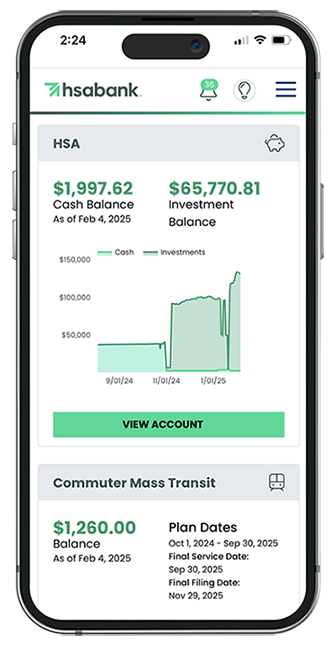
Easily access and manage your account online or from the HSA Bank app once you set up your username and password. After that, you can:
- Link external bank accounts for quick contributions and distributions
- Upload and store receipts for eligible expenses
- Submit reimbursements and pay providers
- Use the Contribution Planner to visualize savings
- Use the Eligibility Scanner in the app to find eligible items
- View expenses and claims from multiple providers and by type, status and care recipient
- Access and upload forms, summaries, tax documents and more


Get more account setup help in the Help Center.
How do I contribute to my HSA?
Contributing to your HSA is easy and convenient. HSA Bank provides multiple ways to contribute to your account up to the IRS maximum limit for your plan.

Payroll deduction
If offered through your employer, you can make pre-tax contributions from your paycheck.

Online transfer
Set up one-time or recurring contributions from your linked personal bank account. You can also mail a personal check.

Transfers or rollovers
Move existing HSA or MSA (Medical Savings Account) funds to HSA Bank. Learn more at hsabank.com/transfer.
Build your savings strategy
How do I pay for qualified expenses?
HSA Bank gives you several ways to use your HSA funds. Just remember to use them for IRS-qualified healthcare expenses; money spent on ineligible costs is subject to income tax and a 20% penalty. Always check your cash balance before transactions — you need to have available funds in your account, and daily limits apply.
✔ Use your Benefits Card: You can use your debit card to pay for eligible services and items at time of service or sale or when paying bills.
✔ Use your mobile wallet: You can also add your Benefits Card to Apple Pay®, Google PayTM or Samsung Pay® in a mobile wallet if your device offers that function.
✔ Reimburse yourself: Pay out of pocket with cash or a personal debit/credit card and then reimburse yourself through HSA direct deposit transfers scheduled online or through the app.
✔ Use online bill pay: With our online bill pay system, HSA Bank will send payment directly to your provider.
✔ Store receipts: You can also upload receipts to submit for reimbursement at a later date. This is a great option to track eligible expenses while you build your savings. Choose to reimbursement yourself next month, next year or not at all.
Get the most out of your HSA
Once you have your bases covered with contributing, saving and spending, maximize how you use your HSA with these actions.

Set alerts and notifications: Protect your account by keeping activity top of mind with text and email alerts.

Designate a beneficiary: It doesn’t cost anything to set up and gives you peace of mind knowing when you pass, your HSA assets go directly to the person(s) you select.

Add an authorized signer: You can request debit cards for your dependents any time in your online account.
More HSA resources
Frequently Asked Questions
Get answers to the most-asked questions about HSAs, FSAs, HRAs and more.
Read FAQsHSAs to Z
Everything you need to know to maximize the benefits of your Health Savings Account.
Learn moreHSA investment options
Invest HSA funds to help grow your account to save for future healthcare expenses or retirement.
Learn moreHSA Tax Time 101
HSA Tax Time 101 is a resource that provides answers to some of the most frequently asked Health Savings Account (HSA) tax questions.
Learn more